In the Gate mobile app, you can customize your navigation bar based on your habits and preferences. Here's how to do it:
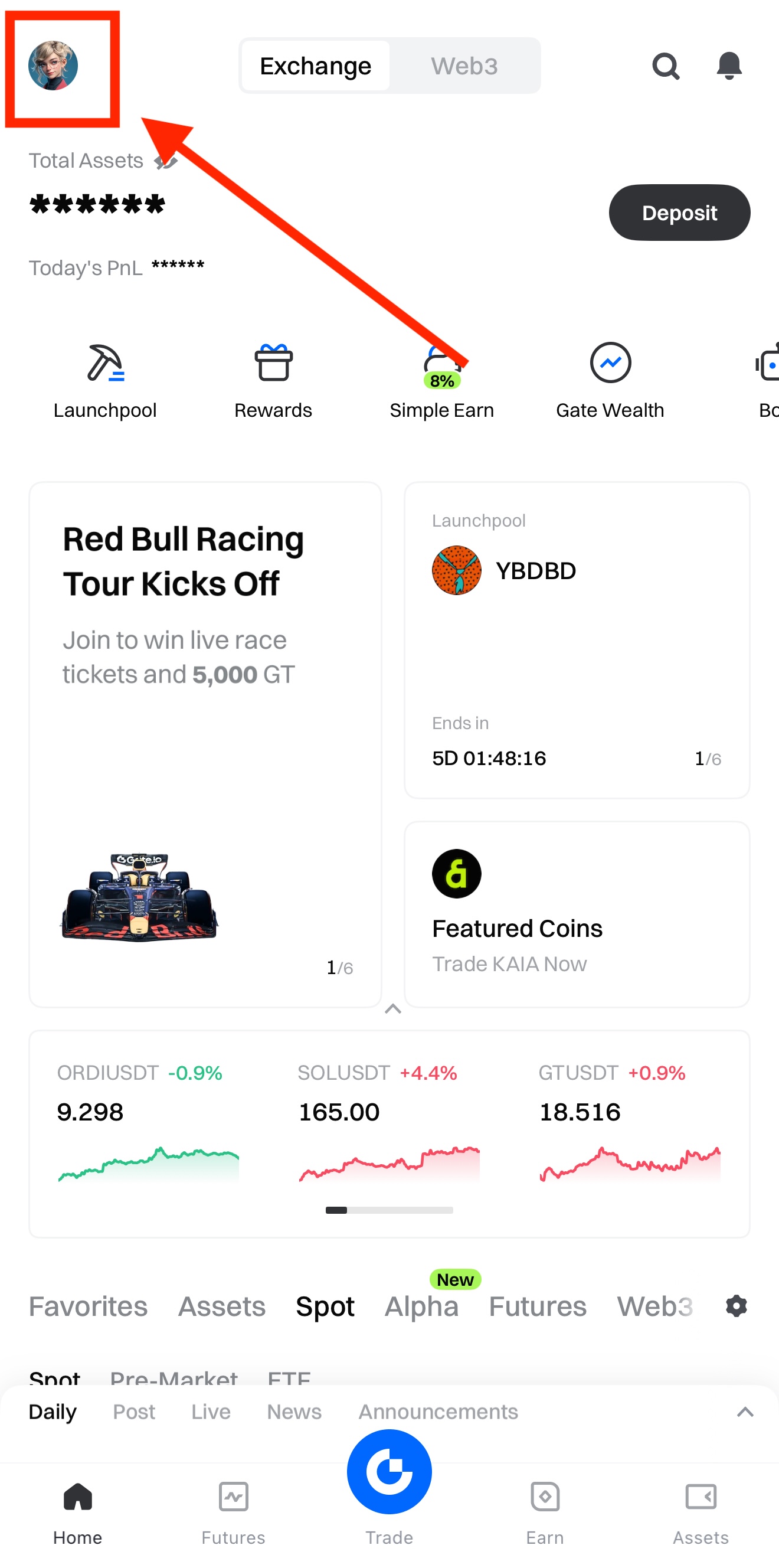
First, open the Gate app and click on your profile.
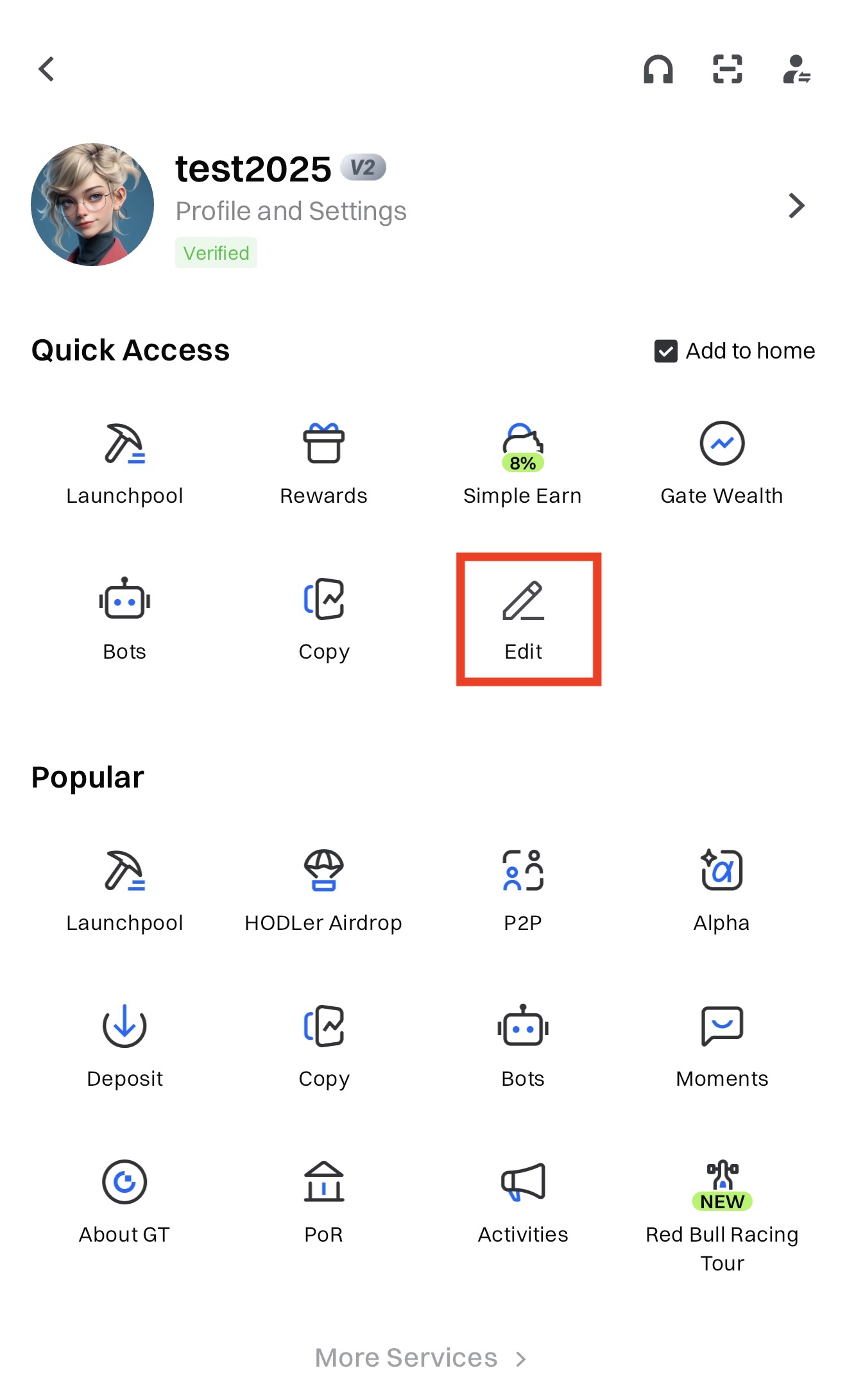
Here you can see icons of all features and services. Click the edit icon on the top right to edit the Navigator.
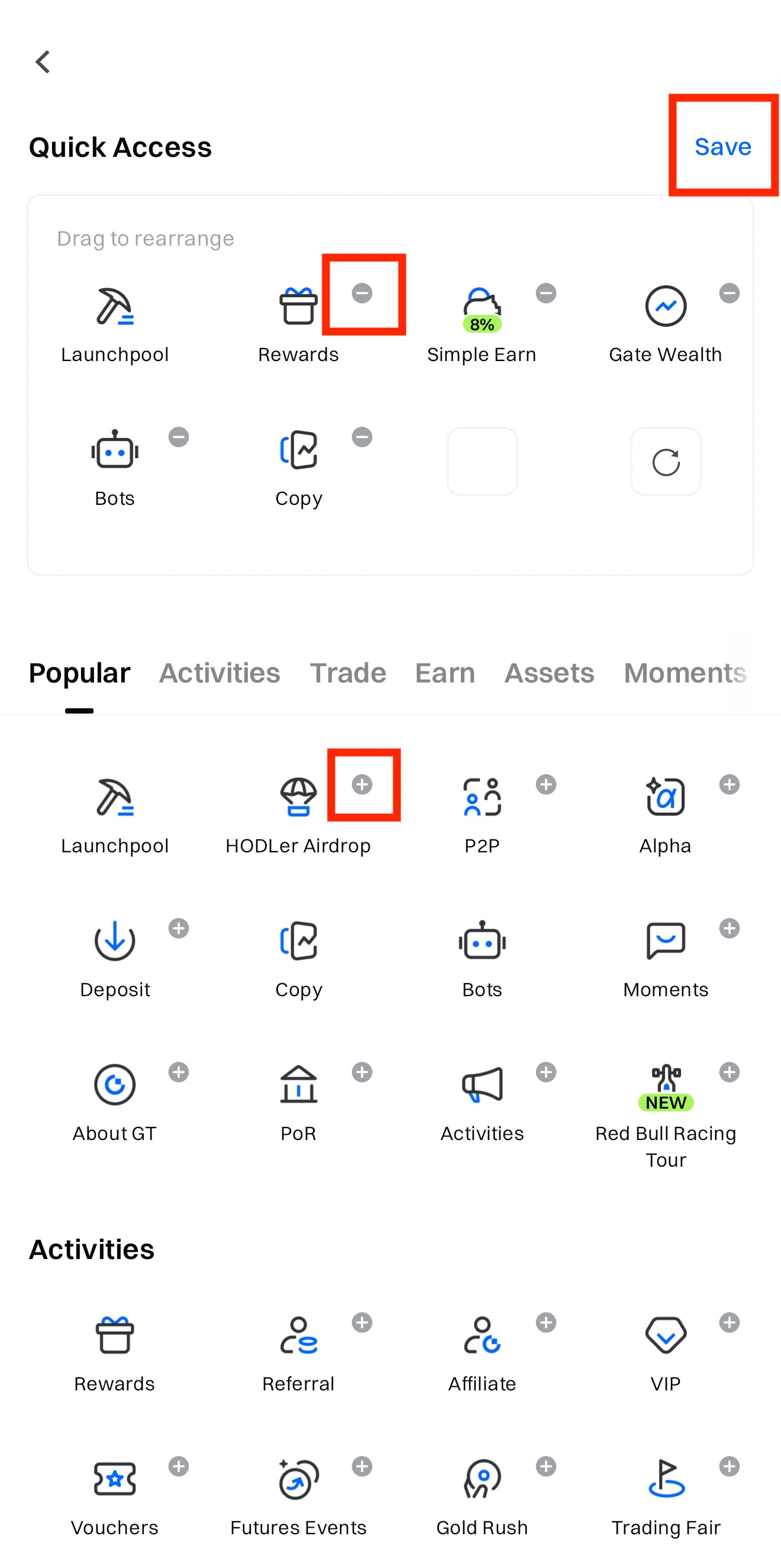
Click on the "-" symbol on the icon in "Quick Access" to remove the item. Click on "+" symbols to add items to "Quick Access".