


Preparation Before You Start
Before getting started, please review the following key information:
What is the Smart Leverage Trial Fund?
- This is a virtual principal (voucher) issued by the platform, which can only be used to subscribe to exclusive products labeled with “Trial Fund”; your own funds in your Spot/Trading account will not be deducted.
- At maturity, settlement is automatic and the virtual principal is reclaimed by the system; if there is profit, actual earnings may be distributed according to the rules; if there is no profit, no actual funds will be lost (refer to the page and order details).
- The homepage simulator calculator only includes standard products, not trial fund products; after settlement, the special section may be hidden, and it may reappear if you receive another voucher.
Preparations
- You must be logged in and have an available trial fund voucher (if you have none, or only expired/used vouchers, there will be no access).
- KYC, sub-accounts, and region requirements are as shown on the page; sub-accounts cannot participate.
- Please use the latest App; to ensure a smooth experience, it’s recommended to update the App to v8.16.0 or above. If your version is too old, you may not see the trial fund voucher or the dedicated section (refer to the online version).
Estimated Time Required
About 5 minutes.
Objective
Complete the following in the App: Claim/View Voucher → Enter Trial Fund Section → Subscribe → View Holdings and Settlement.
Step-by-Step Guide
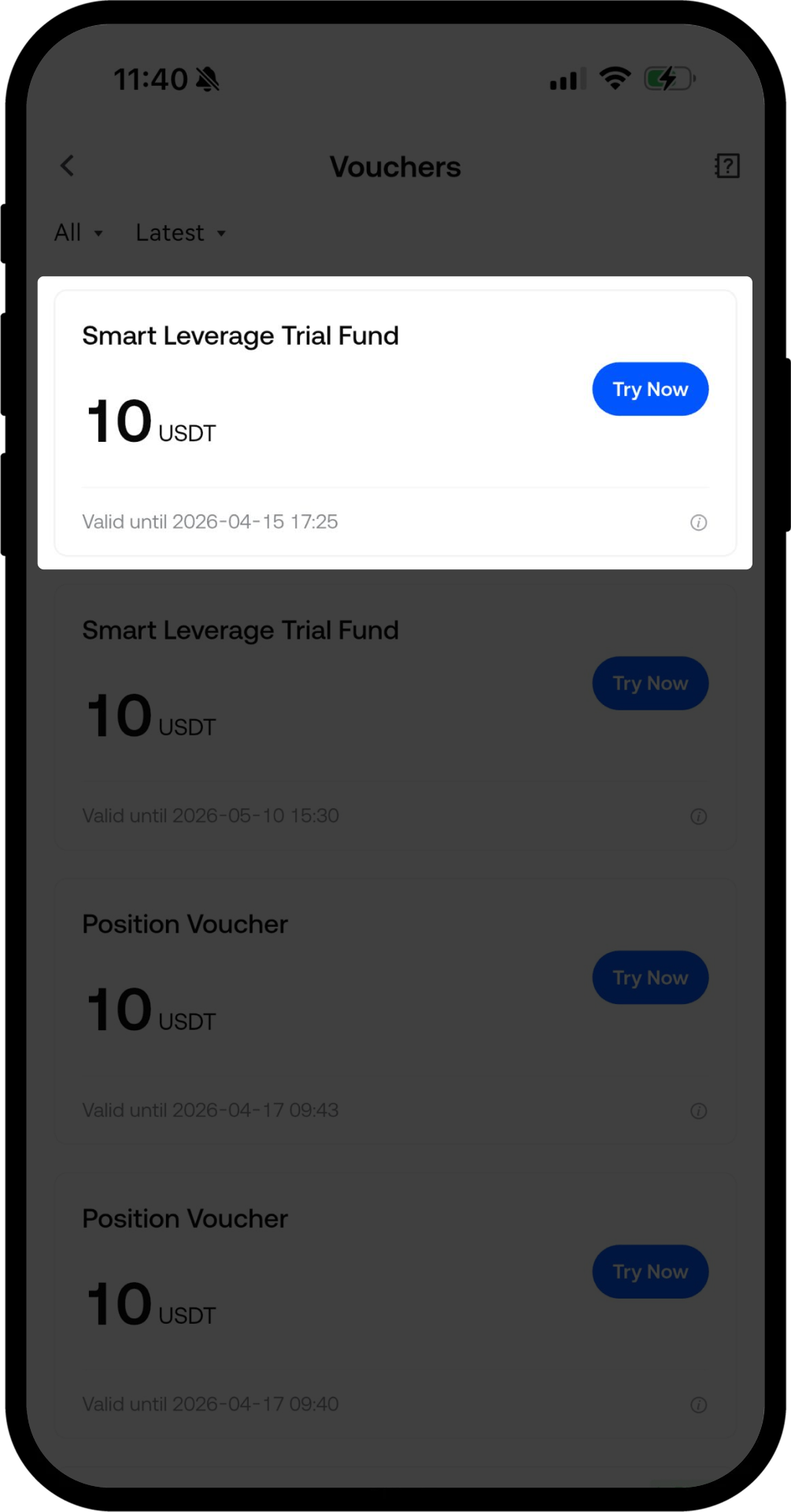
Step 1: Claim or View Voucher in the Voucher Center
- Go to User Center / Vouchers → Voucher Center → Financial Trial Fund / Smart Leverage Trial Fund.
- If marked To Claim, tap Claim Now; if Claimed, you can access the section or tap Use.
- Statuses: To Claim, Claimed, Used, Expired; Used vouchers cannot be reused, Expired vouchers will not be reissued.
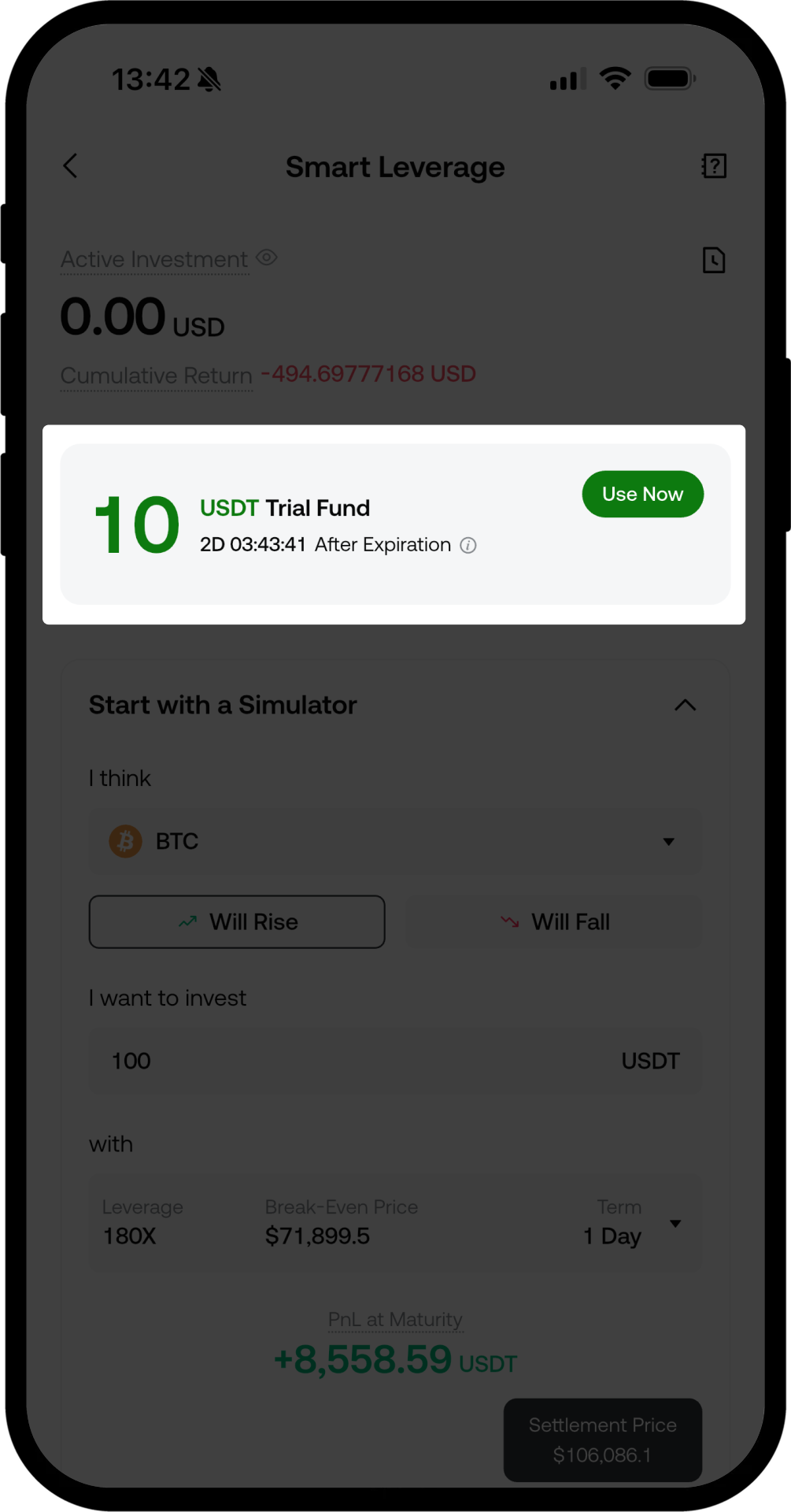
Step 2: Enter the Trial Fund Section
- Use the Smart Leverage homepage banner/top section, or tap Use on the voucher.
- If you have no available vouchers, are using an outdated version, or do not meet compliance requirements, the entry may not be displayed.
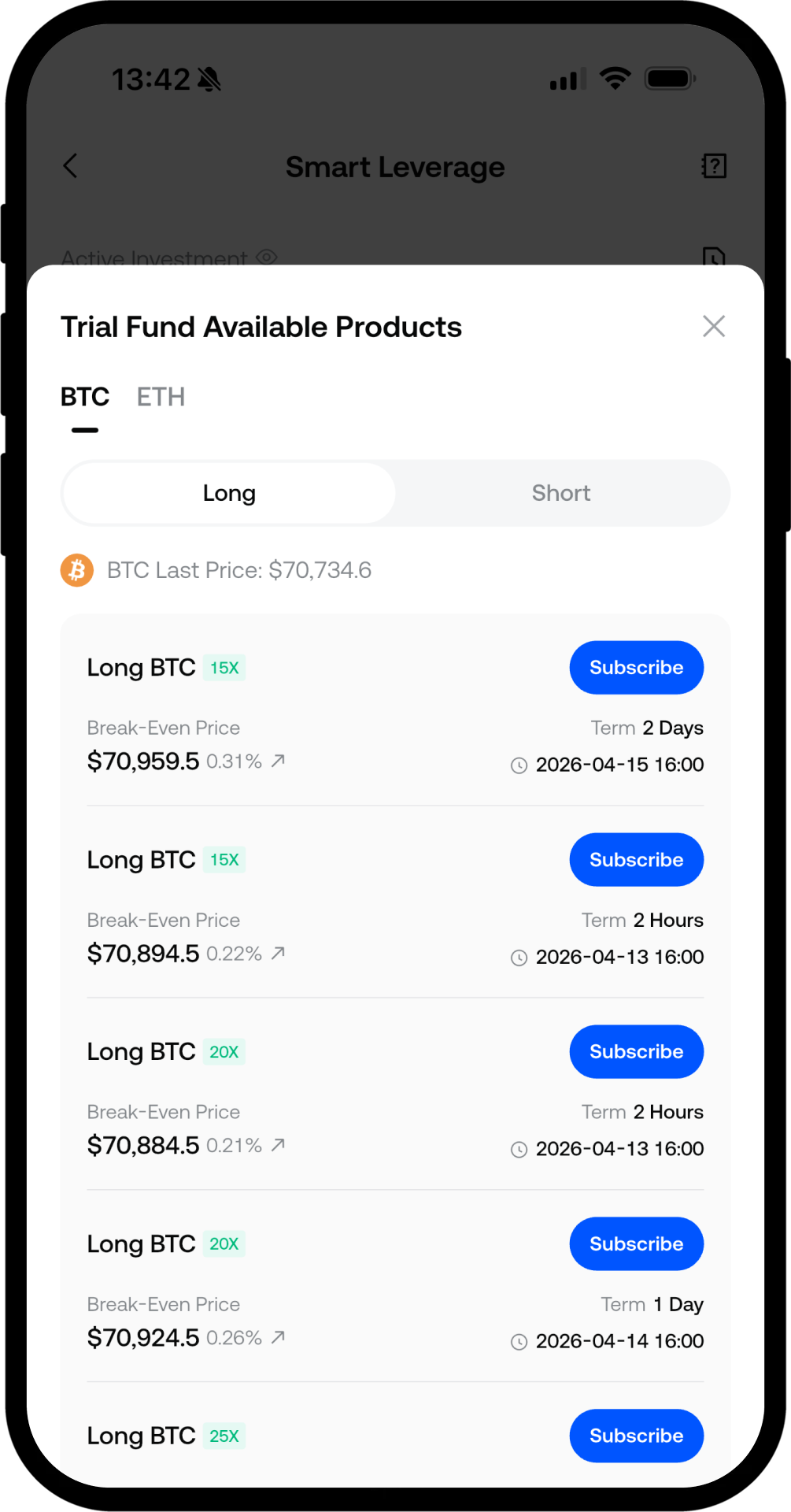
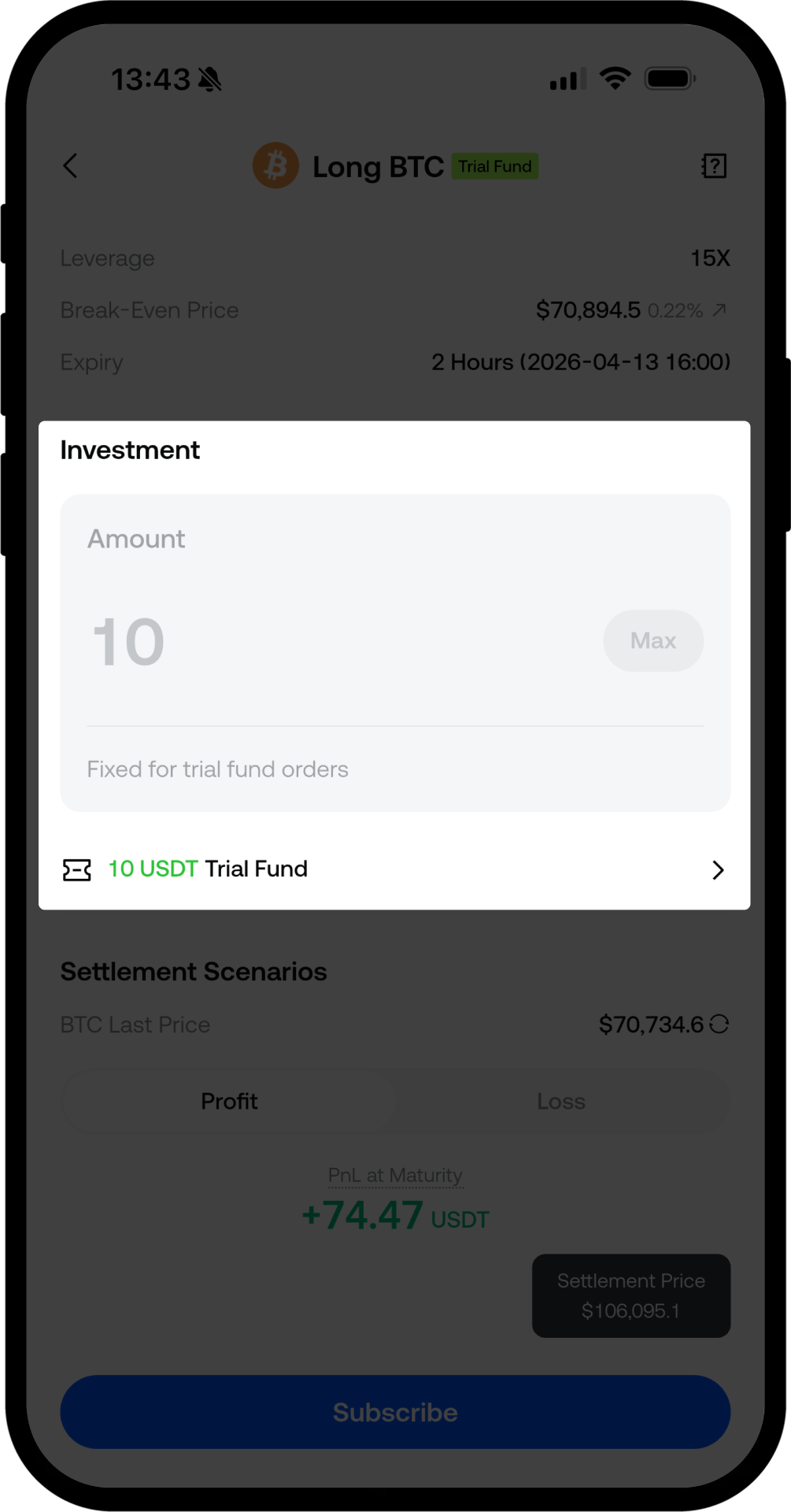
Step 3: Select Product and Subscribe
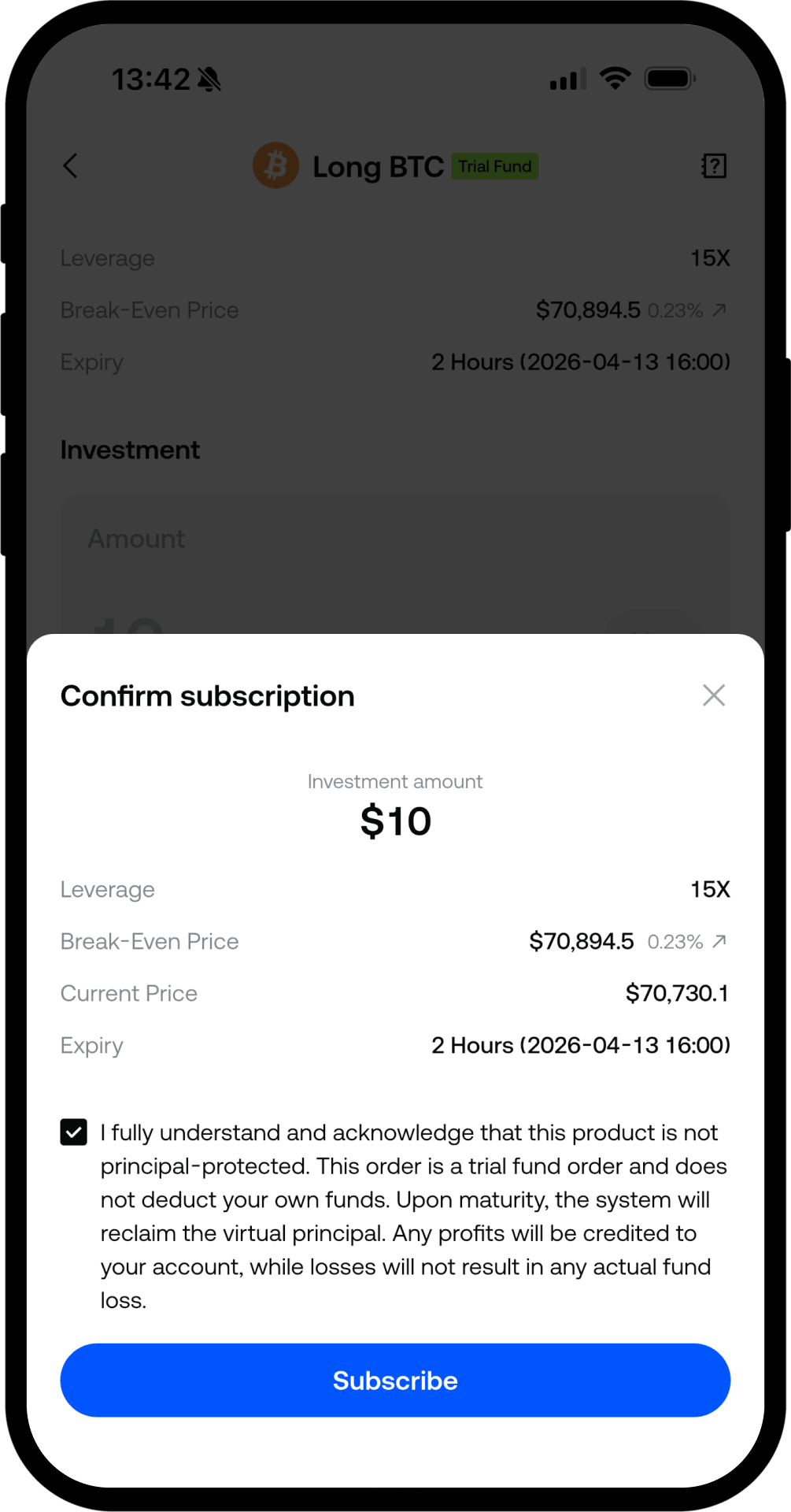
- Choose the asset, confirm the [Trial Fund] label and fixed denomination, check the agreement, and then Submit.
- If you have multiple vouchers, you can switch between them; only one voucher and one unsettled order at a time are allowed (if you have an active position and try to subscribe again, you’ll be prompted—settle first before using another).
Step 4: View Holdings and Order Details
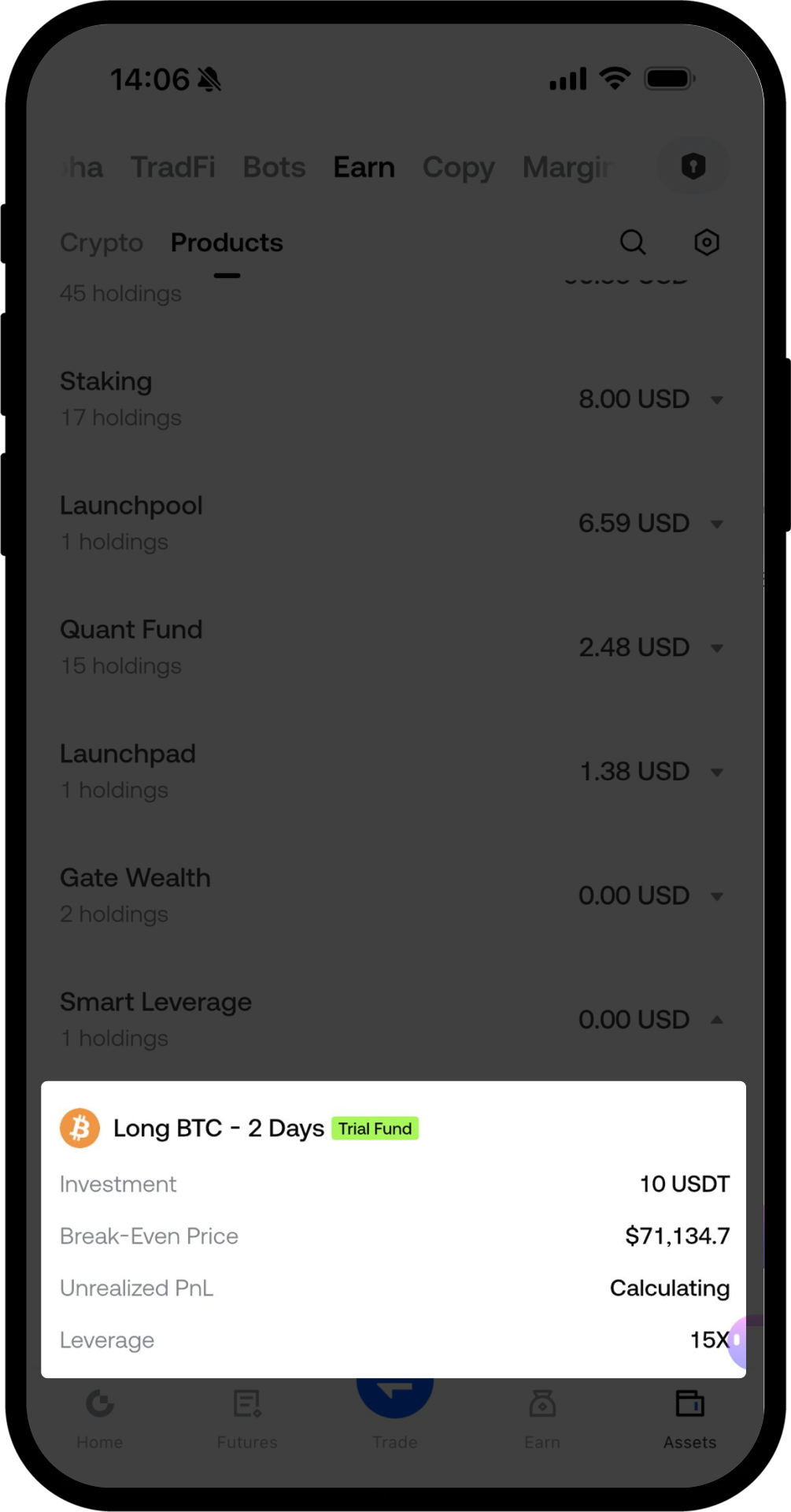
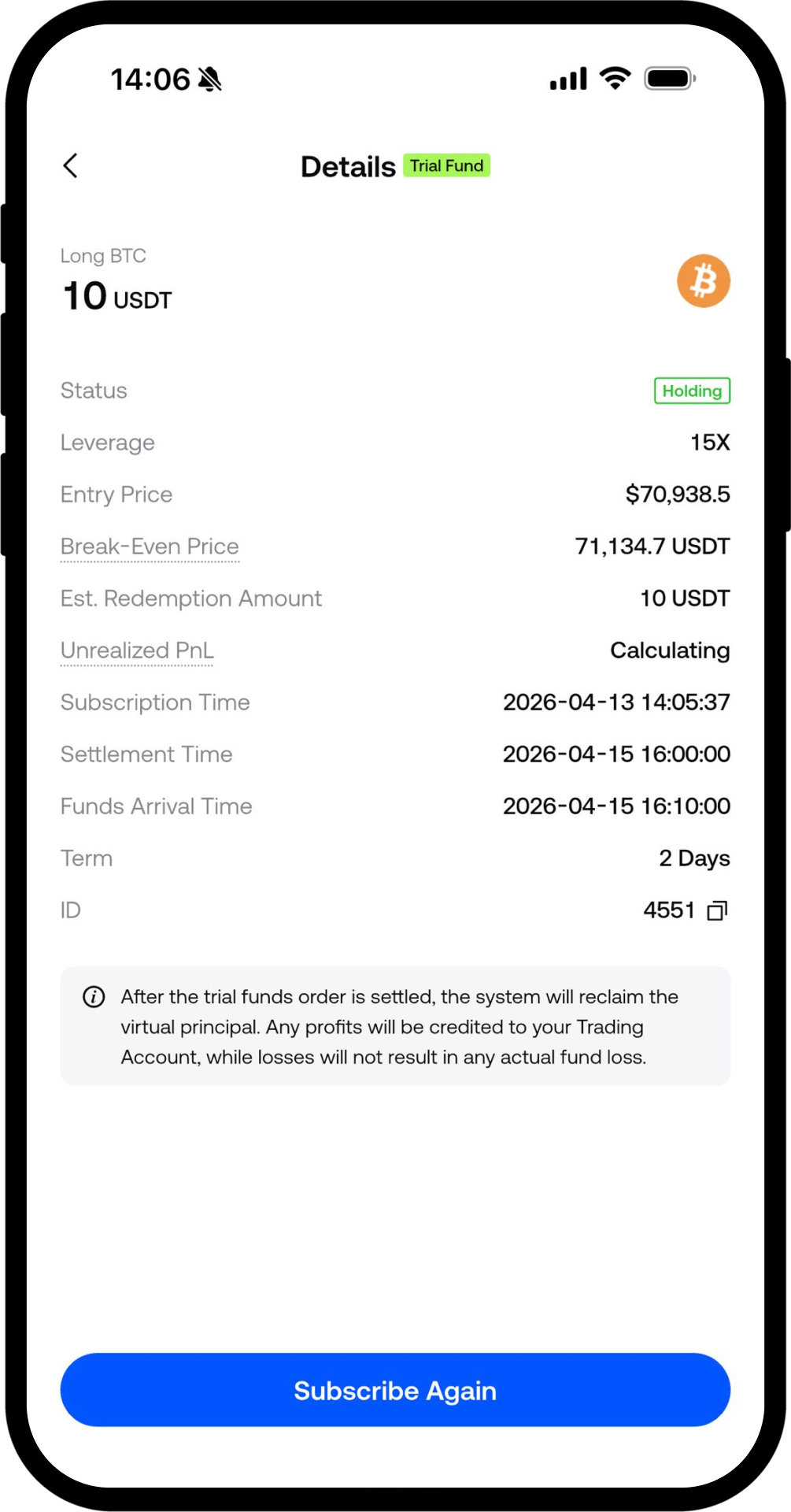
- In Smart Leverage Holdings, look for the [Trial Fund] label; details include maturity date, P&L, and explanations; Subscribe More will redirect you to standard products.
Step 5: Settlement at Maturity
- At maturity, settlement is automatic; you may receive an in-app notification.
- Trial fund orders are not included in the total asset valuation for Leveraged Risk-Free.
Important Notes
- Trial fund P&L is based on virtual principal; profits may be credited, losses do not affect your own funds (refer to risk warnings).
- Using your own funds for standard products still carries market risk; to ensure a smooth experience, it’s recommended to update the App to v8.16.0 or above; rules are subject to the Gate online page.
Frequently Asked Questions
Q: Is the trial fund cash?
A: No, it is virtual principal; actual earnings may only be distributed if there is a positive settlement.
Q: Can’t see the entry?
A: Check your login status, available vouchers, KYC/sub-account/region, voucher status, and App version.
Q: Why isn’t the trial fund in the calculator?
A: The calculator only covers standard products; trial funds are in the Trial Fund Section.
Q: Can I combine it with my own funds in a single order?
A: Not supported (refer to official announcements).
Q: Do I need to pay if there’s a loss at maturity?
A: No actual loss will be collected for that order, and your own funds will not be deducted (refer to the page for details).
Smart Leverage
Disclaimer
The content provided herein is for reference and educational purposes only and does not constitute any financial, investment, trading, or legal advice, nor does it constitute an offer or solicitation to buy or sell any digital assets. Gate makes no express or implied representations or warranties regarding the accuracy, completeness, or timeliness of the information contained herein. Product features, interfaces, rules, and fee structures may be updated or adjusted at any time. Please refer to the latest announcements and the actual information displayed on the Gate platform for the most accurate details.
Digital asset investments involve significant risk, and prices may fluctuate substantially. You may lose the entire amount of your investment. Please make decisions cautiously based on your own financial situation and risk tolerance after fully understanding the associated risks. If necessary, you are advised to consult an independent professional financial or legal advisor.
For more information about potential risks, please refer to Gate's Risk Disclosure and User Agreement.
